
Tabletop gaming has entered the digital age in a big way! Players and GMs alike now come to the table armed with smart phones, tablets and laptops in an effort to speed up gameplay and reduce table clutter.
Publishers are making it easier for gamers as well. Many now offer PDF versions of their rulebooks and supplements (some even come free with purchase of the print version). It’s pretty much a no brainer at this point to carry a tablet to the table for quick rules access.
There are a ton of fantastic apps out there, but today I’m going to focus on 12 iPad RPG Tools that really showcase the power and benefits of bringing a tablet to the table. These apps have the chops to handle dice rolling, initiative tracking, virtual tabletops, campaign management, PDF viewing and more.
1. The Dicenomicon
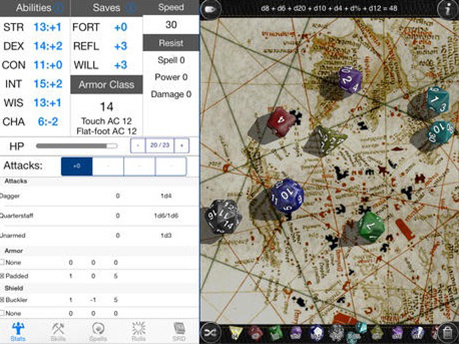
The Dicenomicon is the premier “virtual dice” app for iOS. But besides supporting more kinds of dice (even allowing you to make custom dice), it includes an extremely rich dice rolling formula language (“ELDARScript”) and other ways to add support for more game systems than any other product available.
But it is more than just dice - The Dicenomicon includes “Character sheets” for a wide range of popular games, keeping track of your various stats, automating common rolls and other book keeping task. Don’t find a game system you want? New character sheets can be defined using XML files.
2. 3D Virtual Tabletop
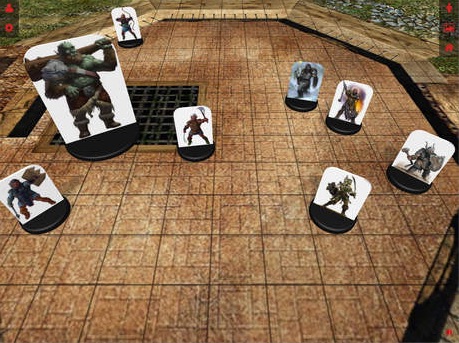
A gorgeous 3D virtual tabletop that looks like the real thing, and feels magical as you slide the map and minis around with your finger. 3D Virtual Tabletop defaults to a view with 3D pawns, or you can go top down for a more traditional virtual tabletop look. With pinch-to-zoom and touch navigation, moving around the map is simple and intuitive.
3D Virtual Tabletop comes with over 100 miniatures and a dozen maps, but best of all allows you to upload your own maps and minis. I connect my iPad to the TV using an HDMI cable so that the entire table can see the map in 46″ HD glory.
3. GoodReader
GoodReader is hands down the best app for PDF related gaming tasks. It can store and organize PDFs in folders. It can download files from the web. It can connect to Dropbox and other services or file servers to upload and download. You can view multiple PDFs in separate tabs so you can jump back and forth quickly.
For PDFs specifically it has a lot of features. It has its own enhanced PDF rendering engine, and can handle graphically dense books with ease. It can access the standard table of contents and bookmarks in a PDF.
And most useful of all, you can create your own bookmarks which makes finding specific rules or encounters in your PDFs a breeze.
4. Evernote
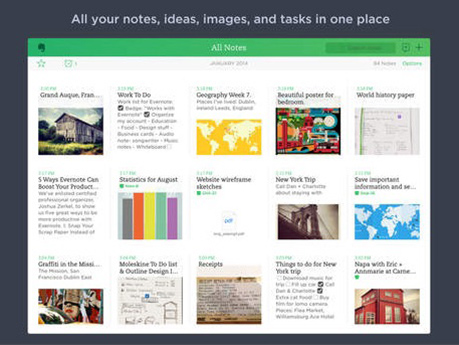
One problem that every GM faces is keeping his or her notes organized. You never know when a great idea will hit you. Most GMs have to sift through multiple binders, journals, scrap paper piles and Post It notes when it comes times to put together a campaign.
Evernote solves all these organizational issues, and syncs across multiple platforms so you are never without your notes. Quickly record new ideas or save inspirational pictures on any device. Your info will be instantly synced across all your devices.
Evernote has a robust system for tagging your notes that makes searching and sorting easy. Use tags for NPCs, world building assets and plot points. Evernote will keep you organized, and puts all your important data right at your fingertips.
5. Roll20 for iPad
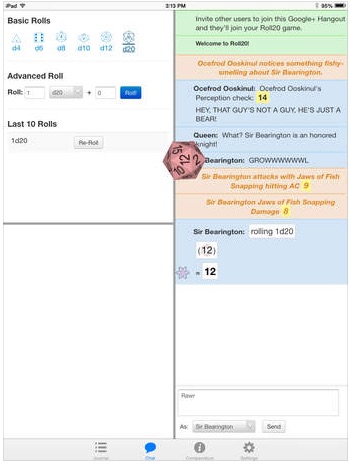
Roll20 for iPad is a free-to-use mobile tablet application focused on player-specific portions of Roll20. The simplest summary of what this app is aimed to do would be “things you hold in your hand” at an in-person gaming table. That includes: digital dice, character sheets, handouts, and rules (compendium).
To tie these features together, there is also access to Roll20’s text chat features. Not included in the application are tokens, maps, voice chat, video chat, and other tabletop functionality. Roll20 for iPad is usable both at a physical table and with the Roll20 virtual tabletop.
6. Pathfinder Resource Document
Running Pathfinder? If so, the PFRPG rd is the ultimate reference document for Pathfinder gamers. The application will give you ALL the rulebooks released under OGL.
PFRPG is always up to date, and gives you a fast, easy to use the searching system
You can also save your own bookmarks, organize them in folders, and it is iPhone and iPad native.
7. Syrinscape
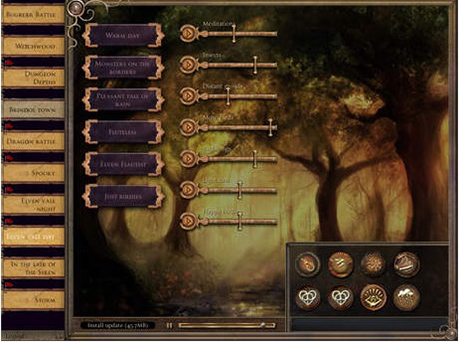
Syrinscape is a revolutionary sound design app that adds evocative ambient background sound and a movie-like soundtrack to your tabletop gaming experience. Syrinscape conjures every aural landscape imaginable, from ethereal forests and stony shorelines to dank vermin-filled dungeons and the spooky depths of the Underdark.
Syrinscape uses a powerful audio engine and complex algorithms to produce ever-changing soundscapes and rich encounter specific music. SoundSets are made up of numerous independently controllable “elements”, each representing a component of the audio environment. Each “element” distributes randomly chosen samples into the 3D environment surrounding the listener. All this works together to create immersive sound with no annoying repetitions or patterns.
Get Syrinscape Fantasy Player or Syrinscape Sci-Fi Player
8. InitiativeBoard
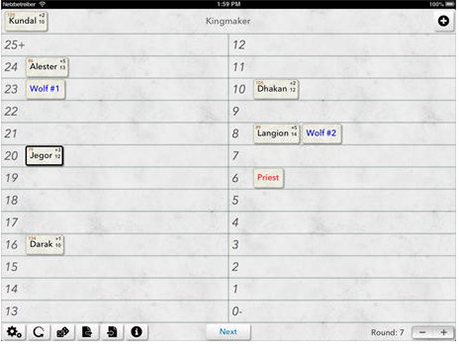
InitiativeBoard is a no-frills tracking aid for initiative and damage/hit points for games like Pathfinder and D&D.
Get rid of pencil and paper, and start dragging markers for players and foes on the grid. Starting new encounters takes a matter of seconds. Supports configurable conditions with automatic round countdowns.
9. Index Card 4
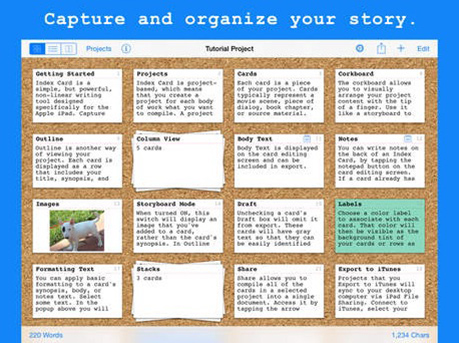
Index Card is a cork board writing app that helps you craft your own stories. Capture, organize, and compile your ideas. Check out this article from our The Efficient GM series with advice on how you can streamline your gaming prep using index cards.
Critical Hits also has an excellent post called “Adventure Creation Hacks: Index Cards” that is well worth your time.
Index Card 4 lets you “digitize” your index card stack for quick access. If you like the index card prep method, but hate carrying around a stack of paper cards, then Index Card 4 is just what the doctor ordered.
10. Sylvan Master
Sylvan Master is a niche app developed for gamers playing Feng Shui 2 by Atlas Games.
Feng Shui fights are not about the mechanics of combat. They are about the drama that unfolds between the combatants. The wild stunts that are attempted and the badassery of the players against overwhelming odds.
This app automates most of the mechanics of a Feng Shui fight so that the GM can focus on the descriptive details of the action.
Features:
- Fully automates the Feng Shui 2 shot counter
- Rolls attacks for foes; mook attacks can be rolled individually or as a group
- Tracks damage for all characters
- QR codes and hyperlinks in published adventures take you straight to the action in the app
- Provides all of the sample foes from the core rulebook for creating your own adventures
- Supports multiple campaigns
11. Star Wars Dice
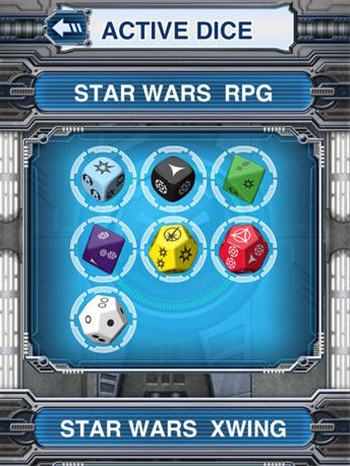
Launch your Star Wars (TM) gaming experiences into hyperdrive!
The Star Wars Dice app is the ultimate accessory for Fantasy Flight Games’ Star Wars games, supporting Star Wars: Imperial Assault, Star Wars: Armada, the X-Wing (TM) Miniatures Game, and all iterations of the Star Wars Roleplaying Game. This comprehensive application allows you to quickly and conveniently select and roll custom dice for FFG’s Star Wars games, and even includes an assortment of standard dice for all your gaming needs!
The Star Wars Dice app includes:
- A comprehensive dice roller that can be used to roll custom dice for an FFG Star Wars game, or standard polyhedral dice in seven types for any game.
- Features eight iconic Star Wars backgrounds and six distinct sound packs.
- Jump right in with an intuitive radial menu and interactive help guide.
12. Game Master 5th Edition
Game Master will help you run your Dungeons & Dragons 5th Edition game more efficiently. Setup encounters, track initiative, and roll attacks all in one convenient app.
Features:
- Encounter manager tracks initiative, hit points, and all the necessary stats of your monsters and PCs
- Roll attacks, skills, and saving throws with a simple tap
- Add more monsters using the monster editor
- Keep a campaign log and notes about and each encounter
- Rules Quick Reference view
- Dice roll calculator lets you roll any dice combo easily
- Easy mode setting: For when your players are struggling and you don’t feel like having a TPK, fudge your dice rolls to be lower. The app will roll all dice twice and takes the lower of the two.
- Import everything. Type up notes, create monsters and a rules reference sheet on your PC then import them into this app
- Compendium of creatures, items, and spells
 Follow Our RSS Feed